Software updates rarely make headlines unless they introduce a major redesign or bold new feature. But sometimes, the most meaningful improvements are the quiet ones.
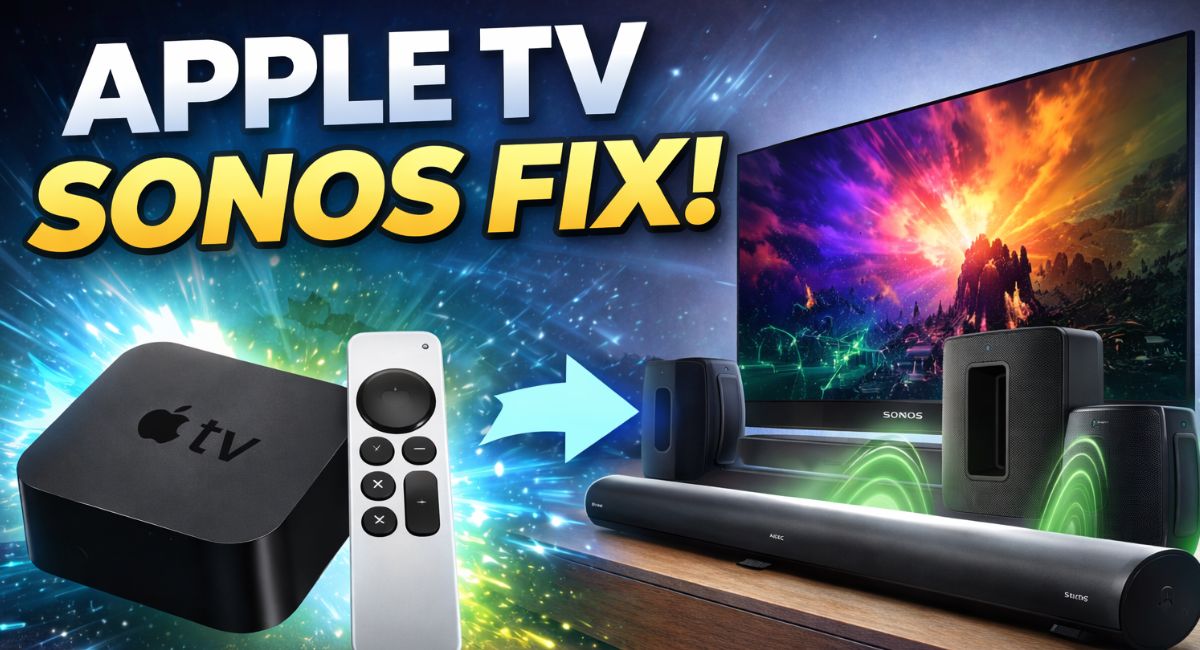
That’s exactly what happened when Apple TV updated with important Sonos fixe. On the surface, it looks like a routine tvOS refinement. In reality, it addresses one of the most frustrating issues experienced by home theater users pairing Apple TV with Sonos soundbars.
If you’ve ever dealt with Atmos cutting out mid-scene, audio falling out of sync, or sound formats switching unexpectedly, this update could feel transformative.
In this long-form expert breakdown, we’ll explore:
- What the issue was and why it occurred
- What Apple changed in the update
- How it impacts real-world listening
- Full Apple TV hardware specifications
- Best configuration practices
- Who benefits most
- And detailed FAQ answers
Let’s take a closer look.
The Compatibility Challenge Between Apple TV and Sonos
Modern home entertainment systems are incredibly powerful—but also increasingly complex.
A typical premium setup might include:
- Streaming device (Apple TV 4K)
- 4K HDR television
- HDMI 2.1 cables
- eARC audio routing
- Sonos Atmos-enabled soundbar
- Wireless surround speakers
In many homes, this combination includes the Apple TV 4K connected to a TV that passes audio through eARC to a Sonos Arc or Sonos Beam.
While each component is high-end individually, the chain of communication between them depends on perfect digital “handshakes.” Even minor inconsistencies in how audio metadata is passed can create instability.
Some users reported:
- Dolby Atmos randomly disabling
- Audio reverting to stereo PCM
- Sound briefly cutting out
- Lip-sync inconsistencies
- Audio format confusion during app switching
Importantly, these weren’t universal issues—but they were persistent enough to raise concerns in enthusiast communities.
What Changed in the Latest Update?
With the most recent tvOS release, Apple refined the way Apple TV handles:
- Automatic audio format detection
- Dolby Atmos negotiation
- HDMI output behavior
- eARC timing coordination
The result is improved communication between Apple TV and external audio devices—especially Sonos soundbars.
Users say the system now:
- Locks onto Dolby Atmos more consistently
- Maintains audio format stability during playback
- Reduces unexpected dropouts
- Minimizes the need for manual format switching
While Apple hasn’t marketed this as a major feature, the stability improvements are noticeable for affected users.
Why Audio Negotiation Matters in Modern Streaming?
To understand the significance, it helps to understand how audio flows.
Here’s a simplified chain:
Apple TV → HDMI → TV → eARC → Sonos soundbar → Wireless surrounds
Each device must:
- Identify supported audio formats
- Agree on a compatible format
- Maintain timing accuracy
- Avoid re-negotiation mid-stream
Dolby Atmos adds complexity because it uses metadata layered over Dolby Digital Plus or TrueHD.
If a TV briefly misreports capability or timing shifts slightly, devices may revert to a fallback format—often stereo or PCM.
By refining its output behavior, Apple appears to have reduced unnecessary renegotiation events.
For users, that translates into fewer interruptions.
Read more:- LG Smart TV Redefined: Inside the $1.7 Million Giant That’s Changing Luxury Home Entertainment
Apple TV 4K (3rd Generation) – Full Specifications
Understanding the device’s hardware foundation reinforces why this is a software-level improvement, not a hardware limitation.
Core Hardware
- Processor: A15 Bionic chip
- Storage: 64GB (Wi-Fi model), 128GB (Wi-Fi + Ethernet)
- HDMI: HDMI 2.1
- Networking: Wi-Fi 6
- Ethernet: Gigabit Ethernet (128GB model)
- Bluetooth 5.0
- Thread support (128GB model)
- Siri Remote (USB-C charging)
Video Capabilities
- 4K resolution
- HDR10 and HDR10+
- Dolby Vision
- High Frame Rate HDR
- Auto frame-rate matching
- Dynamic range matching
Audio Capabilities
- Dolby Atmos
- Dolby Digital 5.1 and 7.1
- Spatial Audio (with compatible AirPods)
- HDMI eARC compatibility
The device has always supported premium audio. The update refines delivery—not capability.
Real-World Listening Impressions
Users who experienced instability previously are reporting noticeable improvements.
Common feedback themes include:
- Atmos remains active throughout entire films
- No mid-movie dropouts
- Cleaner transitions between apps
- More consistent surround engagement
- Improved lip-sync perception
Particularly strong feedback comes from users pairing Apple TV with:
- Sonos Arc
- Sonos Beam (Gen 2)
- eARC-enabled OLED televisions
While not every setup experienced issues before, those that did are seeing meaningful stability gains.
How to Configure Apple TV After the Update?
To ensure optimal results:
1. Update to the Latest tvOS
Go to:
Settings → System → Software Updates → Update Software
Enable automatic updates if possible.
2. Optimize Audio Settings
Navigate to:
Settings → Video and Audio → Audio Format
Recommended configuration:
- Change Format: Off
- Dolby Atmos: On (if supported)
This allows Apple TV to handle dynamic format matching automatically.
3. Check Television Settings
On your TV:
- Enable eARC
- Set HDMI input to Enhanced / 4K mode
- Enable audio passthrough
TV settings often influence stability more than users realize.
4. Update Sonos Firmware
Open the Sonos app and confirm your system is fully updated. Compatibility improvements work best when both sides are current.
Who Benefits Most from This Update?
This update is particularly valuable if you:
- Own a Sonos Arc or Beam (Gen 2)
- Use Dolby Atmos frequently
- Stream via Netflix, Disney+, or Apple TV+
- Have experienced format switching or dropouts
- Use HDMI 2.1 with eARC
If your system was stable before, you may not notice dramatic differences—but enhanced reliability is still a long-term benefit.
Broader Implications for Apple’s Ecosystem
Apple TV is more than a streaming box—it’s becoming a home hub.
With:
- Thread networking
- HomeKit integration
- Multi-room audio
- Spatial Audio expansion
Audio stability is foundational.
By addressing Sonos compatibility through software, Apple reinforces long-term product support—a key element of trustworthiness and ecosystem confidence.
This is a strategic refinement, not just a bug fix.
Is This the Final Solution?
While early reports are strongly positive, results can vary depending on:
- TV firmware
- HDMI cable quality
- Network stability
- Surround configuration
However, based on user feedback, the update appears to significantly reduce prior inconsistencies.
For most affected users, this is the stability fix they were hoping for.
When Apple TV updated with important Sonos fixe, it didn’t introduce flashy features or dramatic visual upgrades.
Instead, it solved something more important: reliability.
In premium home entertainment systems, consistency is everything. When audio simply works—without manual resets or troubleshooting—it transforms the experience.
For Sonos users who previously struggled with Atmos instability, this update represents meaningful progress.
Quiet improvements often matter most.
FAQs
What does the Apple TV updated with important Sonos fixe actually do?
It improves how Apple TV negotiates and maintains audio formats—especially Dolby Atmos—when connected to Sonos soundbars.
Does this fix Dolby Atmos cutting out?
Many users report that Atmos playback is now more stable and remains active during full movie playback.
Do I need the latest Apple TV 4K model?
The improvements are most noticeable on Apple TV 4K models, particularly the 3rd generation.
Is this a hardware upgrade?
No. It’s a tvOS software update that enhances audio output handling.